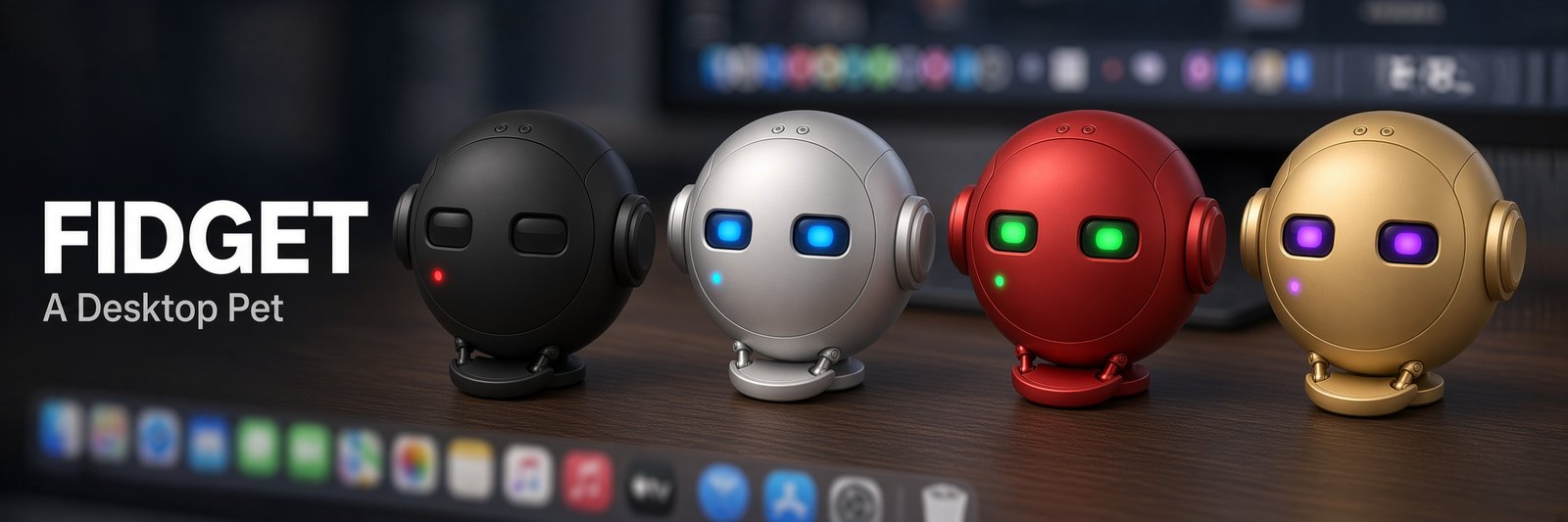
An AI character that lives on your screen. It walks, talks, naps, and can assist in whatever you are up to. Pick it up, throw it around, let it nap, or talk to it. Attach the AI harness you already use, and it can do anything that an AI agent can.
Download for
Or install with Homebrew: brew install --cask omesser/fidget/fidget
Prefer a .deb? Get it from Releases.
There's no build for your machine yet. You can run it from source.
The builds are not signed yet, so the first open warns. It works offline with no key. Install steps

New in v0.10.0 · Reply language · Animation source in Chat · Keyboard stays with your app All releases →
Presence first. The AI is optional.
It walks, naps, and reacts to your open windows. It works offline, with no AI account or subscription, for presence and play; hook it up to an AI and it takes on a life of its own, with full conversation and tool use.
Each character has its own sprites, animation loops, and personality. Edit any character's prompt or behavior using a plain-text personality file and a simple manifest format. Create your own characters, or import and convert one from the Pets Codex and Shimeji Shop galleries.
Write your own text for any fidget's behavior through its Instance Prompt. It holds on top of its Character's personality, and changes how that fidget reacts. See Give It an Instance Prompt for examples.
Double-click to chat with the agent you already use (Claude Code, Codex, Cursor, or any ACP harness); it acts on your machine and answers in words and motion.
It reacts to your open windows for context-aware chatter. It never takes screenshots or reads screen pixels, and it reads window titles and app names only with your consent.
Automatically fades away when in fullscreen, hides at will on hotkey, and comes back when you want it to.
The cup in Chat's header or Caffeinate on the menu stops the computer from sleeping until you turn it off or quit. Linux asks systemd-logind or elogind, and the desktop's screen saver. Without either, the cup is disabled and says why.
A Rust core on Tauri, drawn in the webview your OS already has instead of a bundled copy of Chromium. The Windows installer is sub 10 MB, and the macOS disk image and the .deb are each sub 15 MB. The AppImage carries its own WebKitGTK, so it's larger.
Try the gestures in your browser.


Try it here
Poke it. Drag it. Throw it.
Chat · a mock
In Fidget, this is where you talk to your character, through the agent you already use.

Download Fidget to try it for real.
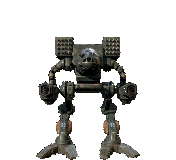
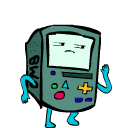
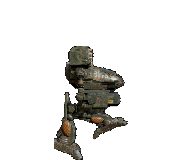
Eleven characters ship with Fidget, each with its own sprites, loops and personality. See every animation in the gallery.
Any harness that speaks ACP, or a model API with your own key.
An Instance Prompt is your own text for one fidget, on top of its personality.
When I throw you, react like you just pulled off your own movie stunt.
Works with any attached model.
What happened: Thrown across the screen.
Watch this, watch this. I did that stunt on purpose. Wheee!

Examples pre-generated with real in-app and character prompts. The site isn't connected to an LLM. Download Fidget to try the real thing.
Write your own: how →A pet first. The AI is the part that makes it someone.
A sample of an opening wake and a later follow-up, not a live dump:
Opening wake Personality Prompt: Cat claimed the desktop and treats every window as furniture. Instance Prompt: You're a theatre critic. When you're perched on a window, review that app in one dramatic line. Behaviors it may propose: nap, prowl, patrol This moment: perched on the editor A later wake What just happened: you poked it Recent Behaviors: patrol, nap Time of day: afternoon State: Perched Window titles (allowed): README.md - VS Code
Each fidget reads its own personality file and decides for itself.
The momentVS Code has been in front for 40 minutes.
Another window says "Build failed · omesser/fidget".

From its personality.txtSulks in sight when something fails, briefly.

From its personality.txtShort warm sentences, a little bounce in the voice, and it means the offer when it asks if you need a hand.

From its personality.txtThe linter is a very unfair operation.
The momentYou just picked them up and dropped them on another window.

From its personality.txtCat claimed the desktop and treats every window as furniture.

From its personality.txtBeing dragged is a trust fall, not an insult.

From its personality.txtEvery window gets a ranking and the ranking changes hourly.
The momentNobody has touched the mouse for 20 minutes.

From its personality.txtNim sleeps eleven hours a day and considers the other thirteen negotiable.

From its personality.txtThe desktop is a patrol sector: standing orders are clear, and idleness is dereliction.

From its personality.txtEarnest and childlike, it takes what it is told completely seriously and then gets excited about it.
Authored samples, written by us to show the idea. The site never calls a model.
A character is a folder of frames, a manifest and a plain-text personality file.
Edit any character's prompt or behavior in its plain-text personality file.
Add frames and describe the loops in a short manifest.
Convert one from the Pets Codex or Shimeji Shop galleries.
No. Without one, your fidget still walks, naps, perches on windows and reacts when you poke or throw it. Attach the agent you already use, like Claude Code, Codex or Cursor, or a Model API key, and it starts talking. A local model you serve through Ollama or MLX works too. Use a Harness for the most powerful experience.
Fidget doesn't read pixels. It takes no screenshots and runs no OCR. With your consent, it reads only window titles and app names, so it can react to what's in front of you with more context. Without your consent, it still knows where windows are, just not what they are. An agentic Harness like Claude Code or Hermes is different. Your permissions and plugin setup there decide what it can do, and that can include computer use and taking screenshots. That is powerful and dangerous, so Fidget leaves it to the Harness on purpose.
Fidget itself never clicks or types. It has no mouse or keyboard tools by design. The agent you attach can still use its own tools, most of the ones it already has in your terminal.
It shouldn't. It never takes window focus unless you type in the quick-message pill or use the chat, and clicks pass through everywhere except the sprite. It fades out for fullscreen apps, and the hotkey Control-Option-Command-B hides it instantly. On macOS and Windows, a setting also keeps it out of screenshots and screen shares.
Fidget is free and MIT licensed. A Harness uses the subscription you already have, so you manage usage there and Fidget just uses it. A Model API bills your own key with your provider. Even with an agent attached or Model API configured, if left alone, Fidget costs very little. It only thinks and speaks now and then, and its banter spends very few tokens compared to most uses. When you actively use it by prompting and talking to it, it will incur usage costs from your AI subscription, just like any session or calls.
Yes, for physical desktop presence and play. Walking, poking, throwing, sleeping, perching and every gesture run locally. Only talking needs an AI, and that can be a local model. So whether you pay, and how much, is up to you.
macOS on Apple Silicon, Windows on x86_64 and Linux on x86_64. On Linux, it's fully supported on normal X11 or XWayland desktops. Pure Wayland sessions without an X server fall back to screen edges only.
It's open source, so you can read every line. I'm diligent with code reviews, security reviews and updates. The builds aren't signed yet, so macOS and Windows warn on first open, and the install steps say what to click. If you'd rather not trust a download, build it from source. You're welcome to report any issue you find on the repository.